KEY NOTE: If you have set your stats to be hidden/private, this whole section will be useless to you.
There are several reports already available. Below is a hadnful of some of them. This page will explain the reports. Please note, when you first use this app, you will have no data to go on- As you play battles data will be collected that then will be used for these reports.
Side Note: For those interest in runnnig your own queries, json files and Sqlite files can be used to create your own reports in Power Bi, Excel, and mayn other analytics programs.
Main
The “Main” report, brings you general information about the user general perforamnce.
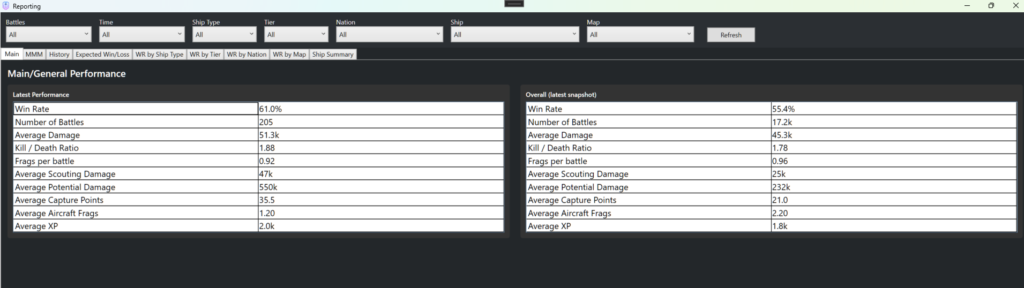
Across the top you will find slicers and filters. As youou can see from this screen shot above, the “main” report is selected. It shows your performance since using this app on the left, and the overall performace since you started your account.
The slicer/filters do not impact the overall table, just the latest perfomance.
So you can see that my overall Win Rate is 55.4%. However over the last 205 battles, since I have been iusing this application, my Win rate actually is 61%,
MMM (or NMatch Making Monitor)
This report has two main tables that show how favorable or unfavorable the match making has been to you.
The top table includes your performance, the bottom does not.
-WR (weighted) just means that a weighted average was taken for each team. The one caveat here is that if a player is using a ship that has more than 75 battles completed, then the program will use that win rate and number of battles for that player.
-WR (non-weighted) As above, but here we are just average the win rates (not factoring the number of battles)
-“team Strength”: This is something I made up that considers the strength of the players and the tier. Basically, it is like the non-weighted calculation, but penlizes players with lower tier ships slightly.
The bottom table is the same, except your stats are excluded.
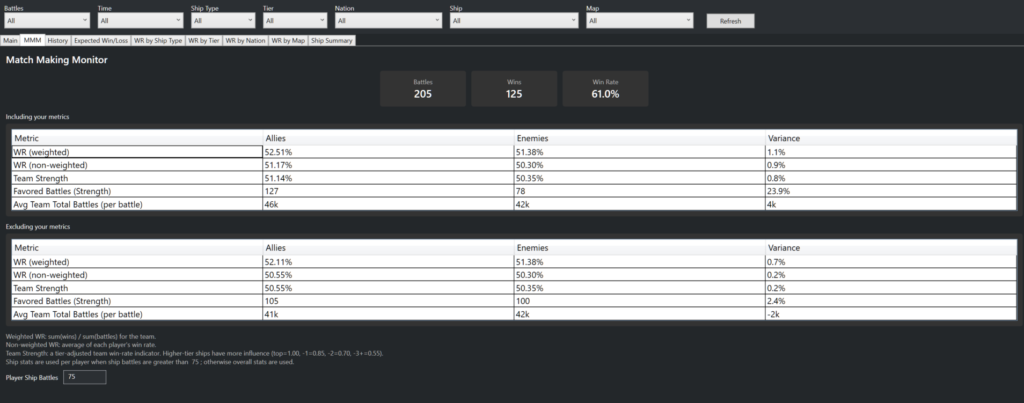
Finally at the bottom, you can enter your desired amount of ship battles threshold for the calculation. In this screenshot, if a player is using a ship that he/she has more than 75 battles in, then the calcuation will use the that Player’s performance in that ship for the calculation instead of the overall.
History
Simply put, this report just shows you the history of battles since you started using this applciation.
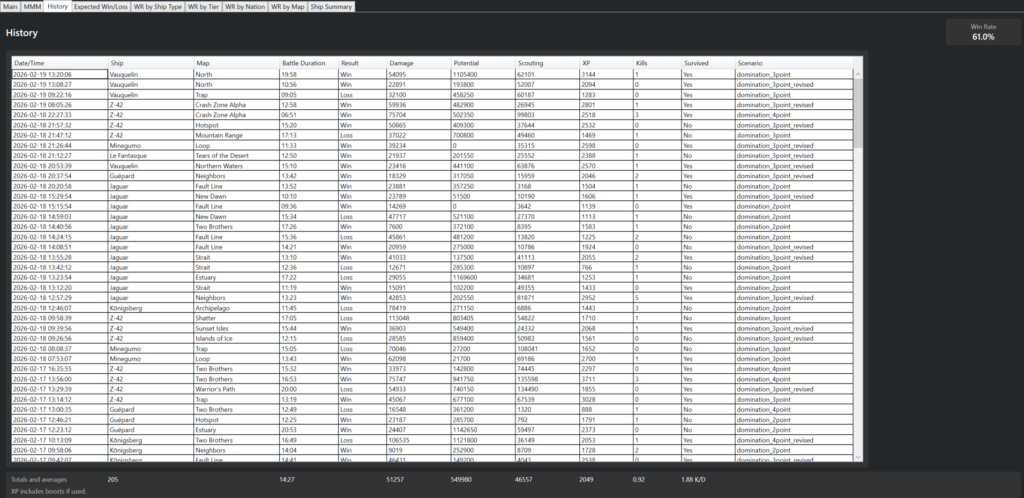
You can filter, combo filter and sort.
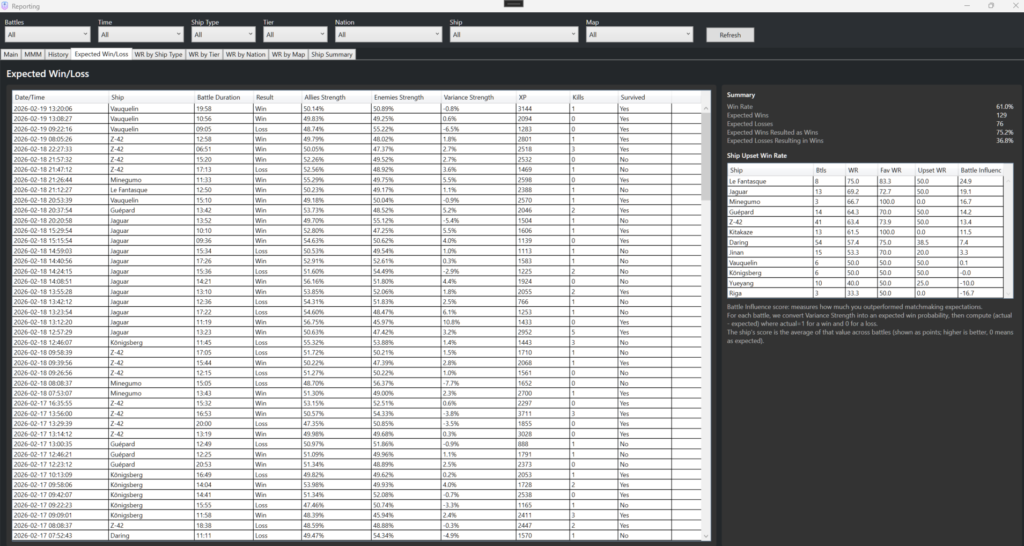
Expected Win/Losss
This report logs the Strength of the teams for the reccorded battles (left table).
The second table, shows you whihc fo your ships you seem to do bette in. A Battle Influece of 0 is the extected value. A positive number means you are carrying, and a negative number means you are being carried.
Win Rate by Ship Type (or tier, nation or map)
These should be self explanatory pivots.

Ship Summary
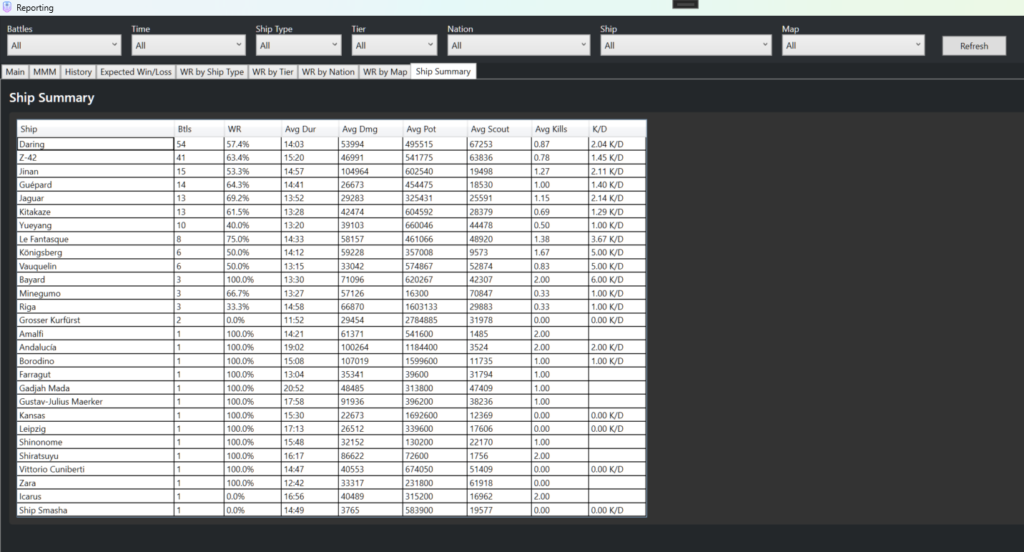
A compartive summary of the ship performance siunce using the app.